Framly - AI Photo Video Maker
NXL AI SolutionsArt & Design
3.395.00 Reviews
- Version
- 2.7.0
- Installs
- 5.00M
- Age Rating
- Everyone
Screenshots
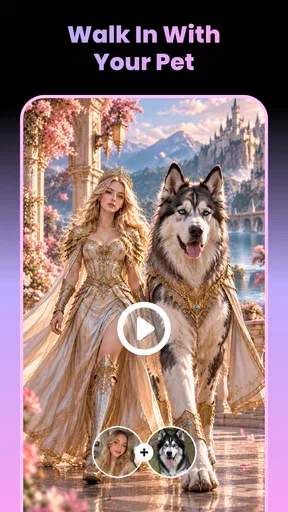
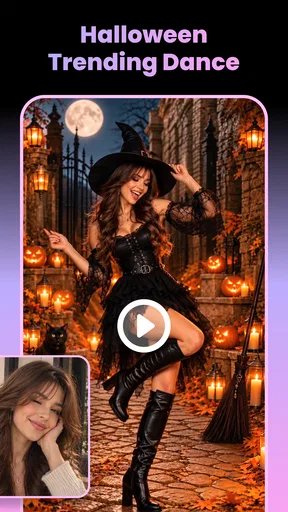
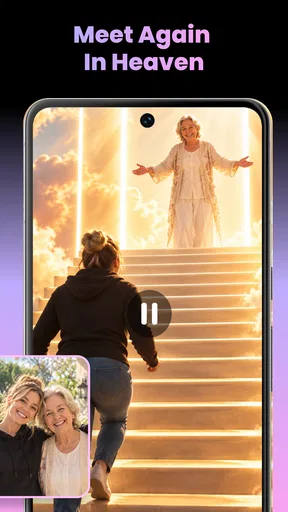
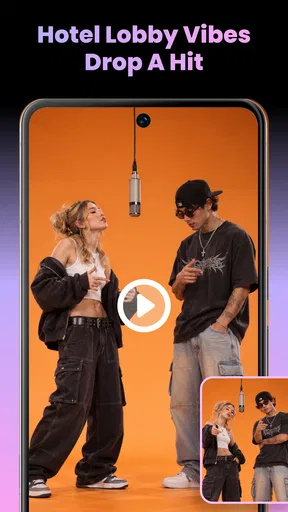
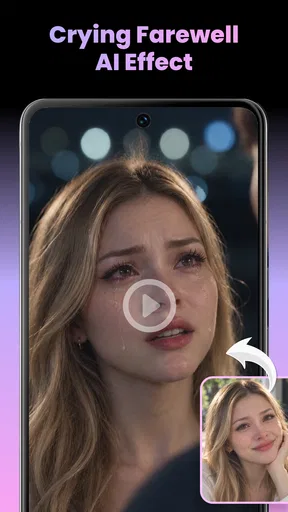
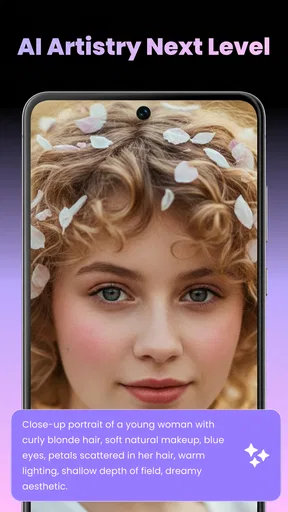
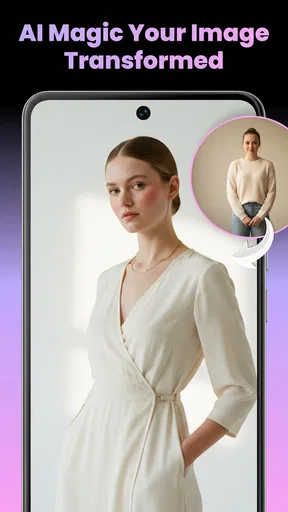
Our Review of Framly - AI Photo Video Maker
 Analysis by Appyee
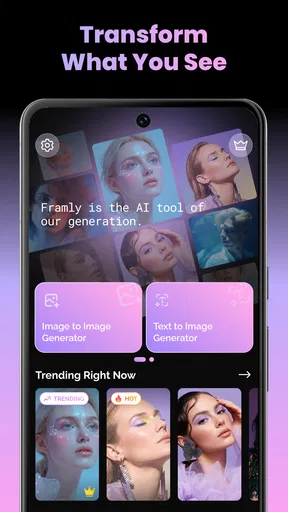
Framly - AI Photo Video Maker is the kind of creative app I would open when I have an idea for a social post but not the time, patience, or editing experience to build it from scratch. It belongs to the art and design category and comes from NXL AI Solutions. In my experience, its appeal is simple: start with an image or a written prompt, choose a visual direction, and let the app turn that starting point into something more polished and lively.
That convenience is also where the app needs the most realistic expectations. AI-generated photos and videos can save time, but they do not remove the need for good source material, clear instructions, and a little selection afterward. Framly is best viewed as a fast idea generator and finishing tool, not as a replacement for a full editor or a professional production workflow.
Where the first attempt can get stuck
The first hurdle is usually not creativity; it is deciding what to give the app. A vague prompt such as “make something cool” leaves too many choices open. I get more useful results when I describe the subject, mood, setting, color direction, and intended format in plain language. For an image, I might specify a warm café scene with a handmade product in the foreground. For a short video concept, I would add the desired movement or atmosphere rather than relying on a single broad adjective.
Starting from an existing image can be easier when the subject already matters. A clear portrait, product photo, or travel snapshot gives the creative process an anchor. Blurry images, heavily cropped pictures, and photos with several competing subjects are more likely to produce an outcome that feels disconnected from the original idea. I would prepare the cleanest version of the image first instead of hoping Framly can repair every weakness automatically.
The templates are useful when I want a quick visual direction, but they can also encourage a copy-and-publish mindset. I prefer to treat them as starting points. A template may establish the rhythm or mood, while my image and wording determine whether the result feels personal. This matters especially for small businesses and creators, because a fashionable look can become less effective if it overwhelms the product or message.
Another common sticking point is judging the result too quickly. AI work can look impressive in a preview and less convincing once I inspect faces, hands, lettering, edges, or transitions. I make a habit of checking the main subject at full size before deciding that a generation is ready. That extra look is particularly important when the image will represent a person, a product, or a business rather than simply serve as a playful experiment.
The strongest results come from treating Framly as a creative assistant, not an automatic art director. I still make the important choices: what the viewer should notice, which source image is appropriate, and whether the final result is accurate enough to share.
A practical setup check before creating
Framly is free to install and is rated for Everyone, which makes it approachable for casual experimentation. It requires Android 8.0 or later, so I would check the phone’s software before troubleshooting anything inside the app. If the device is older, updating the operating system may be more useful than repeatedly reinstalling the application.
I would also make sure there is enough local storage for source images and exported results. Creative files can be larger than ordinary messages or screenshots, and a nearly full phone can cause confusing failures during saving or processing. Clearing space before a larger project is a simple precaution, especially if the app is being used with several photos or video outputs in one session.
When selecting an image, I would confirm that Framly can see the intended file and that the photo is stored locally rather than being only a cloud placeholder. If the image appears in the phone’s gallery but cannot be selected in the app, opening or downloading it fully through the device’s normal photo application can help. I would then return to Framly and choose the newly available copy.
For text prompts, I recommend writing the request in layers. Begin with the subject, then add the visual treatment, environment, lighting, and emotional tone. For example, a creator making a post about a ceramic mug could identify the mug first, ask for a calm breakfast-table setting, and then request soft morning light. This is more controllable than piling on unrelated style words.
It is also worth deciding whether the goal is a still image or a moving piece before starting. A composition that works beautifully as a square picture may not leave enough visual room for movement or cropping. If the project is intended for a story, reel, thumbnail, or profile post, I would keep the important subject away from the extreme edges so that the result remains usable after platform cropping.
Recovering a workflow that goes wrong
When a creation does not look right, I would avoid changing every variable at once. First, I would keep the same source image and simplify the prompt. If the result improves, the wording was probably too crowded or contradictory. If it does not, I would try a cleaner source image. This small, methodical approach makes it easier to understand what helped.
A useful recovery technique is to separate identity from style. I would describe what must remain recognizable—such as a person, object, or color—and then describe the artistic treatment afterward. If I mix those instructions together, the visual effect can become more important than the subject. Clear priority helps when the original image needs to remain recognizable.
If a generated result contains awkward details, I would not keep regenerating the same request indefinitely. Sometimes the better solution is to adjust the concept so the weak area is less prominent. A distant person, a simple background, or a composition focused on one object can be more convincing than a crowded scene requiring the system to resolve many small relationships.
For video, I would begin with a single strong image and a restrained concept rather than trying to make every element move. Subtle motion can preserve the sense of the original photograph, while an overly ambitious instruction may make the result feel unstable. I find that a short, focused visual idea is easier to evaluate than a sequence attempting to tell an entire story immediately.
When saving or sharing fails, I would first check storage, the selected destination, and whether the app is still processing. I would avoid closing the app in the middle of an operation unless it has clearly stopped responding. If I need to try again, I would keep the original source file and prompt available so the project can be recreated without starting from memory.
For important work, I would save versions rather than overwrite the only copy. A simple naming habit—source image, first result, edited result—helps me compare changes and return to an earlier direction. This is one of the most practical ways to reduce frustration with any AI creative workflow, because the best result is not always the latest one.
When the app may not be the cause
Not every disappointing output is an application problem. A low-resolution source, difficult lighting, unusual perspective, or cluttered background can limit the quality of any automated creative tool. Before blaming Framly, I would test a well-lit image with one clear subject and a short prompt. That gives me a fair baseline.
Phone performance can matter too. Older hardware, limited free space, or many other active applications may make a creative task feel slower or less reliable. I would close unnecessary apps, restart the device if it has been behaving strangely, and try again with a smaller project. These are ordinary checks, but they often distinguish a temporary device issue from a repeatable weakness in the creative result.
Network conditions may also affect a feature that depends on online processing, although I would not assume every delay has the same cause. If a task behaves differently on a stable connection, I would compare the two situations rather than repeatedly tapping the same control. Repeated attempts can make it harder to tell whether a request is still active or has genuinely failed.
Privacy and ownership deserve attention before uploading personal material. I would avoid using sensitive documents, private images, or someone else’s photograph without permission. Even when the creative purpose is harmless, an AI transformation can change how an image is understood. For a business project, I would also keep the original product photo and any brand assets separately so I can verify that the generated result still represents the real item accurately.
How it compares with ordinary editing alternatives
Compared with a conventional photo editor, Framly reduces the number of manual steps between an idea and a presentable concept. I do not need to build every layer, mask, transition, or decorative element myself. That makes it attractive for quick social content, mood boards, personal invitations, visual experiments, and early marketing concepts.
A traditional editor remains better when precision is the priority. If I need exact typography, carefully aligned brand elements, reliable color matching, detailed retouching, or frame-by-frame control, I would choose a dedicated editing application instead. AI generation is excellent at suggesting and transforming; it is less dependable when every visible detail must obey a strict specification.
Framly also occupies a different space from a camera application. A camera helps me capture reality with control over the moment, while this app helps me reinterpret an image or idea. For a product listing, I would photograph the real item first and use AI treatment only for an optional promotional variation. I would not let a creative transformation replace an accurate reference image where customers need to know what they are buying.
The free entry point makes it easy to test the workflow, but I would pay attention to how often I need more than the basic experience. In-app purchases range from $12.99 to $139.99 per item. That wide range makes it especially important to understand the cost of a repeated workflow before committing to a larger project. I would experiment with a small personal task first and decide whether the time saved justifies any purchase for my needs.
Who will get the most from Framly
I think Framly is a good fit for people who want attractive concepts quickly and are comfortable choosing the best result from several attempts. Social media users, casual creators, students working on visual presentations, and small sellers who need occasional promotional ideas can all benefit from that speed. It is also useful when I know the feeling I want but do not know how to construct it manually.
A realistic everyday example would be preparing a weekend announcement for a small bakery. I could photograph a new pastry near a window, use the image as the starting point, and ask for a warm, inviting presentation suitable for a short social post. After reviewing the result, I would check that the pastry still looks believable, keep the wording readable if any text is included, and use the generated version as a visual accent rather than as the only product representation.
Someone who should skip it is a professional designer seeking exact repeatability across a campaign. The app can accelerate exploration, but a brand system often requires consistent spacing, typography, colors, and subject treatment. In that situation, I would use Framly for brainstorming and then move the selected idea into a more controlled design workflow.
I would also hesitate to recommend it to anyone who dislikes reviewing automated results. The app can shorten the first stage of creation, but it does not eliminate judgment. If the expectation is one perfect result from one sentence, the experience may feel more frustrating than helpful.
My practical verdict after using the workflow
Framly - AI Photo Video Maker is most convincing as a fast bridge between a rough idea and a shareable visual draft. Its combination of image-based creation, text-led direction, and trendy templates gives me more creative momentum than starting with a blank traditional editor. The developer, NXL AI Solutions, has positioned it for broad accessibility, and its current version is 1.7.0.
The app has attracted over 500 thousand installs and holds a 4.0 average from around 412 ratings, which suggests a generally positive but not flawless reception. I would read that as a reason to keep expectations balanced: the concept is appealing, while the final quality still depends heavily on the input and the user’s willingness to refine the result.
My advice is to begin with one clear subject, a clean source image, and a focused prompt. Check the phone’s Android version and storage before treating a failed task as an app defect. Save useful intermediate results, change one variable at a time, and inspect faces, hands, lettering, edges, and product details before sharing anything publicly.
For casual creators, Framly is worth trying because the free starting point lowers the risk of exploring the workflow. For demanding commercial work, I would use it beside—not instead of—a precise editor. It is at its best when I need a strong visual starting point quickly, then want to apply my own judgment before calling the work finished.
Privacy and Permissions
See what permissions an app requests and how it handles your data.
- Photos/Media/Files
- read the contents of your USB storage, modify or delete the contents of your USB storage
- Storage
- read the contents of your USB storage, modify or delete the contents of your USB storage
- Wi-Fi connection information
- view Wi-Fi connections
- Other
- view network connections, full network access, control vibration, prevent device from sleeping, Google Play license check
Verdict
Strengths of Framly - AI Photo Video Maker
- AI tools quickly turn photos into polished videos.
- Supports creative templates for social media content.
- Simple interface makes editing accessible to beginners.
- Useful effects, transitions, and music options add variety.
- Can inspire ideas when you have limited editing experience.
Limitations of Framly - AI Photo Video Maker
- Some advanced tools may require a paid subscription.
- AI results can vary depending on photo quality and composition.
- Export options may be limited by resolution or watermark rules.
- Processing effects can take longer on older devices.
- Frequent creative features may require an active internet connection.
Other Releases by NXL AI Solutions
View All
Linguza: AI English Tutor
Education3.9

Artspire: AI Video Generator
Art & Design3.2
Similar Picks in This Category
View All
Canva: AI Photo & Video Editor
Canva4.8

PENUP – Drawing-sharing SNS
Samsung Electronics Co., Ltd.4.5

Crafto
Kutumb App4.6

Sketchbook
Sketchbook4.1

ibis Paint X
ibis inc.4.5

Adobe Express: AI Photo, Video
Adobe4.6
Frequently Asked Questions
What is Framly - AI Photo Video Maker used for?
Framly - AI Photo Video Maker is designed for creating short videos, animated photo stories, slideshows, and social media content from images and clips. Its AI-focused tools can help arrange visual elements, apply motion effects, add music, and improve the overall presentation without requiring advanced video-editing knowledge. It is especially useful for users who want quick, template-based results.
Does Framly require professional editing experience?
No. Framly is aimed at beginners and casual creators, so most of its editing process is based on selecting photos or videos, choosing a style, and adjusting available options such as transitions, effects, text, music, or timing. However, users seeking detailed timeline editing, advanced color grading, or precise audio control may find the app more limited than professional desktop editors.
Is Framly - AI Photo Video Maker free to download and use?
The app may be available to download for free, but some features, templates, AI tools, export options, or premium creative assets can require in-app purchases or a subscription. Before starting a project, check the pricing screen and trial conditions carefully. Also review whether a subscription renews automatically, particularly if you only want to test the premium tools temporarily.
Can videos created with Framly be shared on social media?
Yes, Framly is intended for creating content that can be saved and shared on platforms such as Instagram, TikTok, Facebook, YouTube Shorts, or messaging apps. Export quality, resolution, video length, and watermark conditions may depend on the selected template or account plan. It is worth checking the final preview before exporting to ensure that text, music, and cropping look correct.
What privacy considerations should users know before uploading photos?
Because Framly works with personal photos and may use AI-powered processing, users should review the app’s privacy policy and permissions before uploading sensitive material. Avoid sharing images containing confidential documents, private information, or people who have not agreed to appear in the project. You should also check whether content is processed on the device or uploaded to online servers.
